Workflows
Define a workflow, group it into an app, and trigger it with an event.
A workflow is a durable function triggered by an event. You define it with defineWorkflow, then
serve and register it so the engine can drive it. The console lists every workflow an app has
registered:
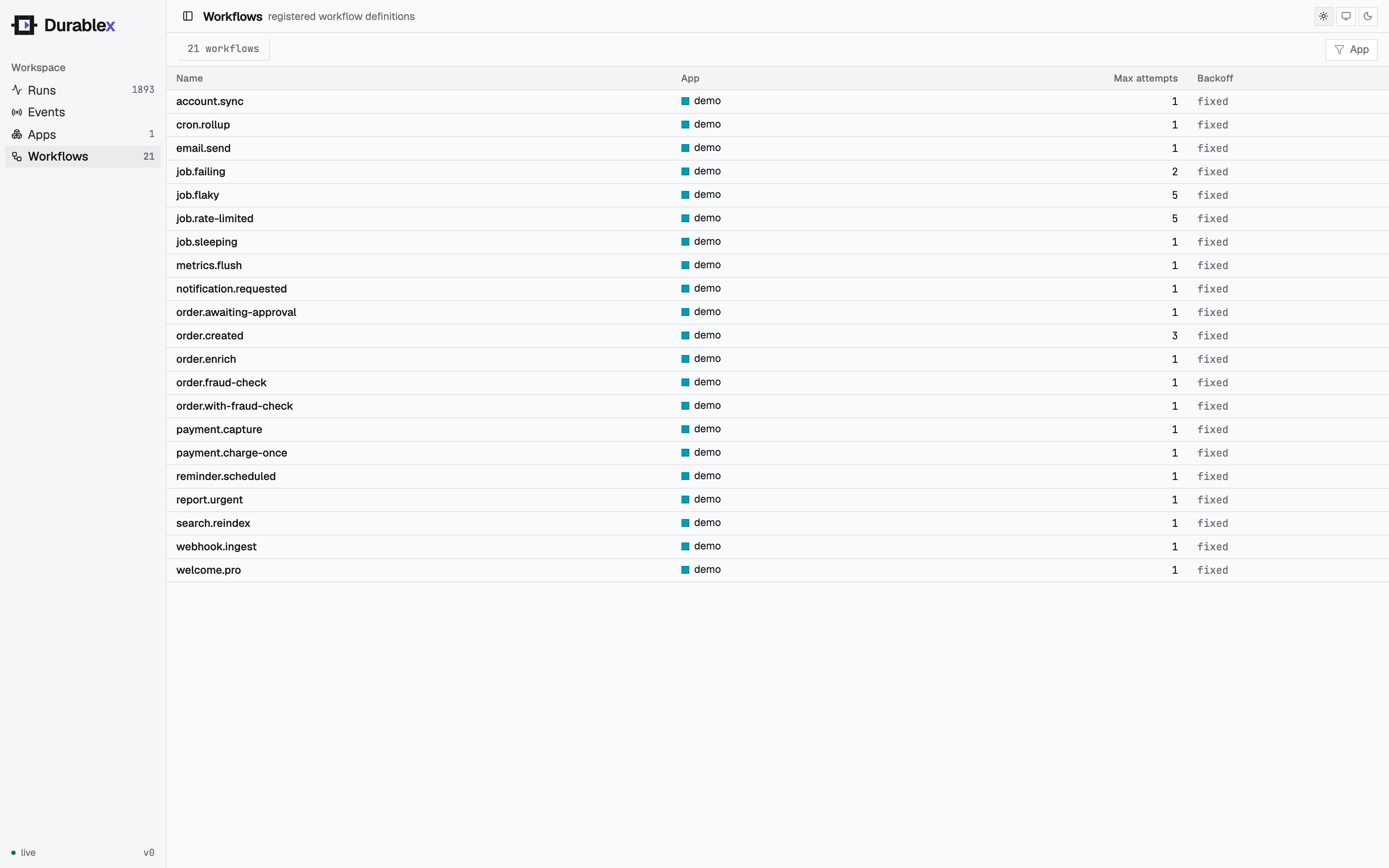
Select a workflow to open its detail drawer: the definition (app, schedule and next fire, retry
policy), live stats tiles, and runs-over-time and latency charts - all scoped to that one workflow and
filterable by time range - plus a table of just its runs. The charts and stats reuse the same data as
the console's Overview, narrowed with a ?workflow= filter on
GET /runs, GET /runs/stats, and GET /runs/timeseries. Selecting a run jumps to the Runs view with
that run open.
Defining a workflow
import { defineWorkflow } from "@durablex/sdk";

interface OrderData {
  orderId: string;
}

const orderCreated = defineWorkflow<OrderData>({
  name: "order.created",
  retry: { maxAttempts: 3 },
  handler: async (ctx) => {
    const charge = await ctx.step.run("charge", () => chargeCard(ctx.event.data));
    return charge;
  },
});nameidentifies the workflow. With notriggers, an event of the same name starts it; declaretriggersto start it from other events (with filters/wildcards) or a cron schedule.retrysets how steps retry on failure. Optional; see Retries.handleris your workflow body. It receives a context (ctx) and usesctx.stepto do durable work.
The type parameter (<OrderData>) types ctx.event.data, so your event payload is checked.
The handler context
| Field | What it is |
|---|---|
ctx.event | The triggering event: { name, data }. |
ctx.step | The durable step API - run and sleep. See Steps. |
ctx.runId | The id of this run. |
ctx.attempt | Which attempt this run is on. |
Serving and registering
Group your workflows into an app - a named set of workflows that run together in one process.
serve() turns them into an HTTP handler the engine calls; register() announces the app to the
engine on startup.
import { register, serve } from "@durablex/sdk";

const invoke = serve({ workflows: [orderCreated] });

Bun.serve({
  port: 6773,
  fetch(req) {
    const url = new URL(req.url);
    if (req.method === "POST" && url.pathname === "/invoke") {
      return invoke(req);
    }
    return new Response("durablex runner");
  },
});

await register({
  engineUrl: process.env.DURABLEX_ENGINE_URL!,
  app: "order-app",
  url: "http://localhost:6773/invoke",
  workflows: [orderCreated],
});
register() is idempotent - it's safe to call on every startup.
Triggering a run
Send an event whose name matches a workflow. The engine creates a run and drives it to completion.
curl -X POST $DURABLEX_ENGINE_URL/events \
  -d '{"name":"order.created","app":"order-app","data":{"orderId":"A1"}}'
The response includes a run id you can use to inspect the run at GET /runs/{id} and its steps at
GET /runs/{id}/steps.