Runs API
Read endpoints to list, filter, paginate, and summarize runs.
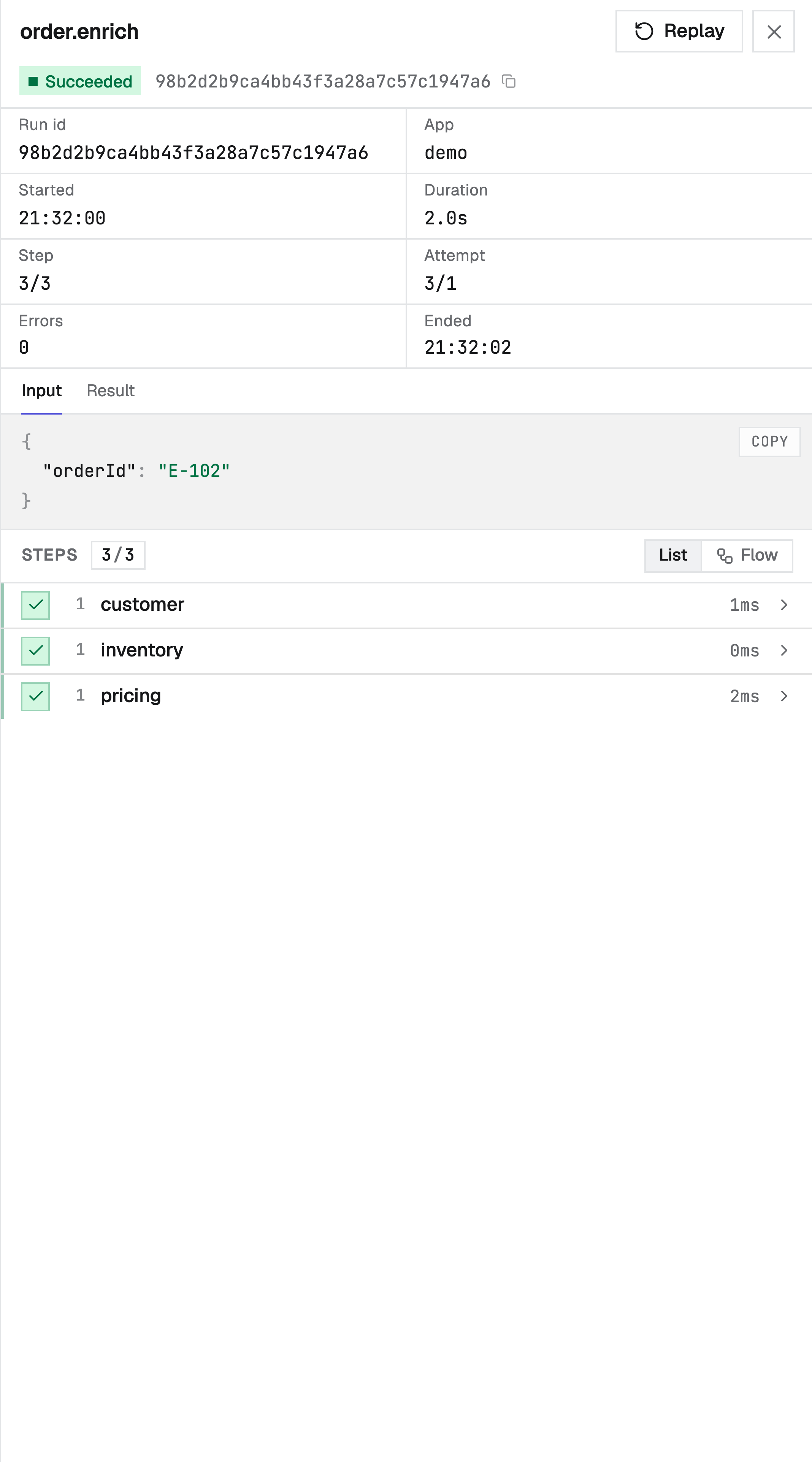
The read-only runs API backs the console's Runs views. Mutating actions (cancel, pause, resume, replay) live in the control API.
| Method + path | Returns |
|---|---|
GET /runs | A page of run summaries, newest first, plus an X-Next-Cursor header. |
GET /runs/{id} | One run, including its input and result. |
GET /runs/{id}/steps | The run's steps, in order. |
GET /runs/{id}/logs | The run's captured ctx.log lines, in order. |
GET /runs/{id}/stream | A live SSE stream of the run's timeline (status + logs). |
GET /runs/stream | A live SSE stream of run status transitions across the namespace. |
GET /runs/stats | Aggregate counts for the current filter. |
Listing & filtering
GET /runs accepts these query parameters:
| Param | Meaning | Default |
|---|---|---|
app | Restrict to one app. | all apps |
status | One run status: queued, running, waiting, paused, succeeded, failed, cancelled. running also matches waiting. | all |
runType | event or cron; restrict to event-triggered or scheduled (cron) runs. | all |
eventId | Restrict to the runs one event fanned out (event->run lineage). | all |
replayOf | Restrict to the runs forked from one source run by replay / retry-from-step (replay->run lineage). | all |
q | Substring match on workflow name, run id, or app. | none |
deep | 1 to widen q to also match run input, result, and error content (a case-insensitive substring scan); ignored without q. | off |
since | RFC3339 timestamp; only runs started at or after it. | no lower bound |
sort | started (default), workflow, status, app, or duration. | started |
dir | asc or desc. | desc (newest first) |
limit | Page size, 1-200. | 30 |
cursor | Opaque keyset cursor from a previous page (see below). | none |
By default q searches only run metadata (id, workflow, app), which is indexed and fast. Add deep=1
to also search payload content - useful for "which run touched order ABC-123?" The payload scan is a
substring match over the run's JSON, bounded by the other filters you apply (namespace, since, status,
app), so narrow the time window when searching a busy engine. The console exposes this as a
Payloads toggle next to the runs search box.
curl "$DURABLEX_ENGINE_URL/runs?app=demo&status=failed&sort=duration&dir=desc&limit=20"import { createClient } from "@durablex/sdk/client";
const dx = createClient({ engineUrl: process.env.DURABLEX_ENGINE_URL! });
const page = await dx.runs.list({ app: "demo", status: "failed", sort: "duration", dir: "desc", limit: 20 });
page.runs; // Run[]
page.nextCursor; // pass back as { cursor } for the next pageEach run carries triggerKind (event or cron), so a scheduled run is distinguishable both in the
list and on the run object.
An event-triggered run also carries eventName and eventId - the event that fanned it out
(event->run lineage). eventId matches the event log's id, so GET /runs?eventId=<id> returns
every run one event produced, and a run links back to its exact event. Cron, child
(step.runWorkflow), and on-failure runs have no eventId.
A run created by replay or retry-from-step carries replayOf - the id of the
source run it was forked from (replay->run lineage). GET /runs?replayOf=<id> returns every run
forked from one source, and the new run links back to its origin. Original runs have no replayOf.
Keyset pagination
Paging is cursor-based (keyset), not offset-based. Each response carries up to limit run
summaries plus an X-Next-Cursor header when more rows exist; pass that value back as ?cursor= to
fetch the next (older) page:
# first page - read the X-Next-Cursor response header
curl -sD - "$DURABLEX_ENGINE_URL/runs?limit=2" -o /dev/null | grep -i x-next-cursor
# next page
curl "$DURABLEX_ENGINE_URL/runs?limit=2&cursor=<value-from-header>"
The cursor encodes the current sort position, so paging stays correct while new runs arrive - no rows
are skipped or repeated the way offset paging drifts under concurrent inserts. The header is absent on
the last page. A cursor is tied to the sort/dir it was issued for; changing either invalidates it,
so start a fresh page when the ordering changes.
Run logs
GET /runs/{id}/logs returns the structured logs a run emitted via ctx.log,
oldest first. Each entry is one captured line:
[
  { "seq": 1, "ts": "2026-06-22T10:00:00Z", "level": "info", "message": "order received", "fields": { "orderId": "A1" }, "scope": "@root", "attempt": 1 },
  { "seq": 2, "ts": "2026-06-22T10:00:00Z", "level": "info", "message": "charging card", "fields": { "amount": 4200 }, "scope": "charge", "attempt": 1 }
]| Field | Meaning |
|---|---|
seq | Per-run monotonic sequence; pass the last one you saw as ?from= to page forward. |
ts | When the engine persisted the line (RFC3339). |
level | debug, info, warn, or error. |
message | The log message. |
fields | Structured fields, with sensitive keys redacted. Absent when none were logged. |
scope | The step the log came from, or @root for a handler-level log. |
attempt | The attempt the line was recorded under. |
| Param | Meaning | Default |
|---|---|---|
from | Exclusive lower bound on seq; returns lines after it. | 0 (from the start) |
limit | Page size, 1-1000. | 100 |
curl "$DURABLEX_ENGINE_URL/runs/<id>/logs?from=0&limit=100"Logs are captured once and persisted durably even under replay: a handler-level log re-runs on every
pass but is recorded once, while a retried step's logs stay distinct per attempt. See the
logging guide for how ctx.log works.
Live run stream
GET /runs/{id}/stream is a Server-Sent Events
stream of a run's timeline: every status transition and ctx.log line, in order, as they happen. It
replays the timeline from the start on connect, then tails new rows live, and ends on its own once the run
is terminal. See the realtime guide for how it works.
Each event is one timeline frame. The SSE event: line carries the frame kind; the data: object
repeats it so a non-browser client can discriminate without reading the line:
event: step_status
data: {"kind":"step_status","seq":7,"ts":"2026-06-22T10:00:01Z","runId":"01H...","name":"charge","status":"succeeded","attempt":1}

event: log
data: {"kind":"log","seq":8,"ts":"2026-06-22T10:00:01Z","runId":"01H...","level":"info","message":"charged","scope":"charge","attempt":1}

event: run_status
data: {"kind":"run_status","seq":9,"ts":"2026-06-22T10:00:02Z","runId":"01H...","status":"succeeded"}
Every frame carries kind, seq, ts, and runId; the rest depends on kind:
kind | Extra fields |
|---|---|
run_status | status, currentStepName?, attempt? |
step_status | name, status, attempt, index?, error? |
log | level, message, fields?, scope, attempt |
| Param | Meaning | Default |
|---|---|---|
from | Exclusive lower bound on seq; resumes a stream losslessly after a drop. | 0 (from the start) |
curl -N "$DURABLEX_ENGINE_URL/runs/<id>/stream"import { createClient } from "@durablex/sdk/client";
const dx = createClient({ engineUrl: process.env.DURABLEX_ENGINE_URL! });
for await (const frame of dx.runs.watch("<id>")) {
if (frame.kind === "log") console.log(frame.level, frame.message);
else console.log(frame.kind, frame.status);
}The stream is backed by durable storage, so it never loses frames. Because every frame carries a
seq, a dropped connection resumes losslessly: remember the last seq and reconnect with ?from=.
Namespace-wide run stream
GET /runs/stream is the namespace-level counterpart: an SSE stream of run_status frames across every run
in the namespace, for keeping a runs list or overview live without polling. It carries only run status
transitions - not steps or logs - to stay bounded.
event: run_status
data: {"kind":"run_status","seq":12,"ts":"2026-06-22T10:00:03Z","runId":"01H...","status":"succeeded"}
Unlike the per-run stream there is no seq cursor here: a per-run seq is not ordered across
runs, so this stream tails by timestamp and is best-effort. Treat each frame as a signal to refetch
the affected run or the list, not as a lossless log - a missed frame is self-correcting, since the next
transition triggers another refetch that also reflects the run you missed. The console's runs list and
stats are built on exactly this: they refetch on activity instead of on a timer.
curl -N "$DURABLEX_ENGINE_URL/runs/stream"Run stats
GET /runs/stats summarizes the run set for a filter. It accepts only app and since (the same
meaning as above) and returns:
{ "total": 1575, "active": 1, "succeeded": 1371, "failed": 202, "successRate": 87 }| Field | Meaning |
|---|---|
total | All runs matching the filter. |
active | Non-terminal runs: queued + running + waiting. |
succeeded | Runs that finished successfully. |
failed | Runs that finished in failure. |
successRate | succeeded / (succeeded + failed), rounded to a whole-number percent (100 when nothing has finished). |